
Onboarding
Live in a day
Most teams can launch same day.
Schedule work, keep technicians aligned, and send invoices from one clear workflow built for busy service teams. The website and customer portal stay easy to use on mobile, while the full operations app runs on desktop.
Start on trial, get your daily workflow running fast, then connect FreshBooks® or QuickBooks® when you are ready.
Built for fast rollout and dependable day-to-day use.
Onboarding
Live in a day
Most teams can launch same day.
Access model
Responsive site, mobile portal, desktop app
Customers can open the portal on mobile, while office operations stay desktop-first until the mobile app is ready.
Accounting
Works with FreshBooks® or QuickBooks®
Push & pull data without duplicate entry.
Data ownership
Export anytime
Your records remain portable.
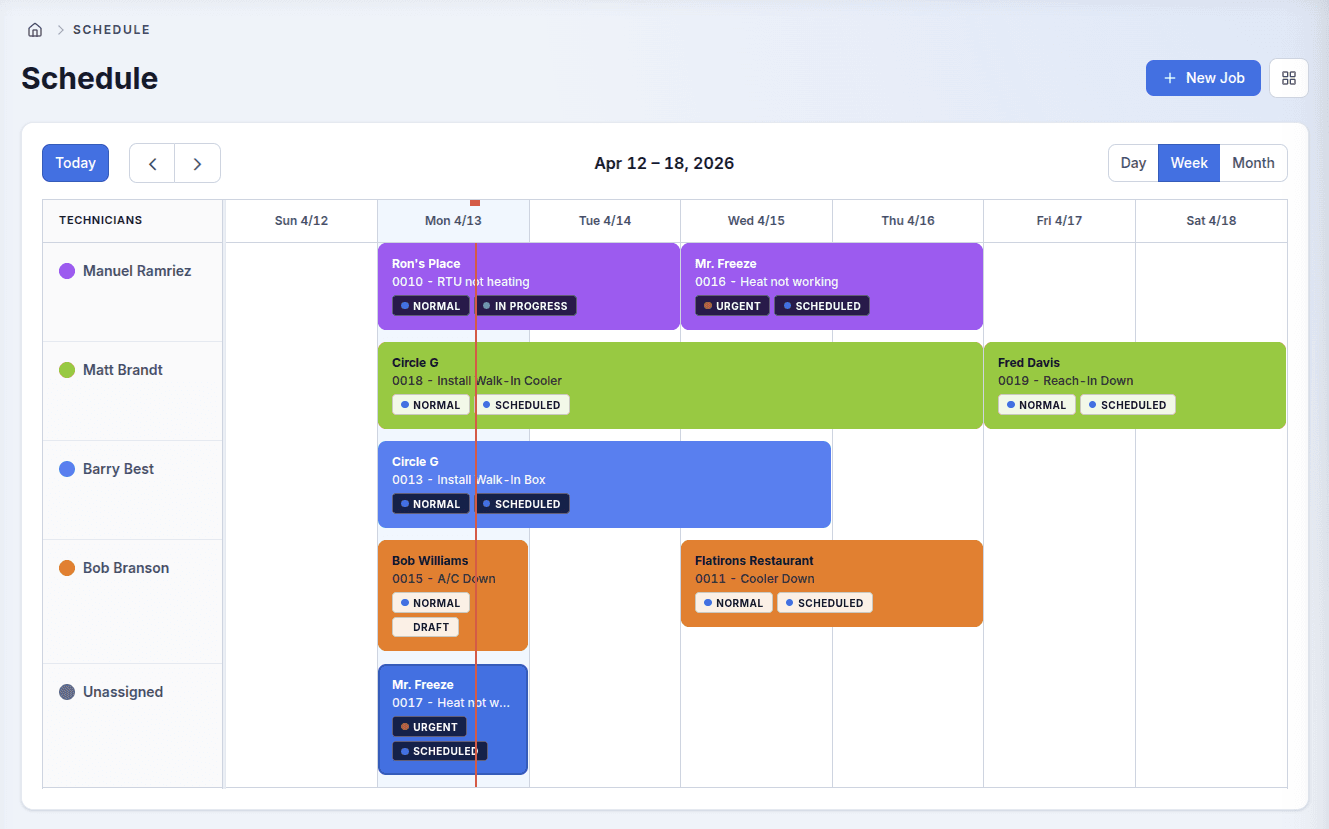
Plan the day quickly with drag-and-drop scheduling and clear technician assignments.
Build quotes with reusable line items, then convert approved work to jobs in one click.
Create invoices from completed jobs and track open balances without extra admin work.
See workload, pipeline, and cash flow in real time without spreadsheet exports.
Connects with
Dispatch work, track schedule changes, and keep every job moving without chasing updates.
Give techs clear job details, status visibility, and a simpler path from arrival to completion.
Turn completed work into invoices quickly and keep accounting aligned with what actually happened.
Step 01
Capture the request, assign the right crew, and keep the full day visible at a glance.
Step 02
Move approved work into jobs without duplicate entry or status chasing.
Step 03
Send invoices faster, track balances, and keep billing tied to completed work.
Industry coverage
From single-truck shops to multi-location teams, TechTrax keeps scheduling, field execution, and billing coordinated in one place.
HVAC
Keep installs, service calls, and maintenance work moving without losing schedule context.
Plumbing
Handle urgent jobs, estimates, and billing from one workflow instead of piecing tools together.
Electrical
Give crews clear scopes, cleaner handoffs, and faster closeout from field to office.
Why teams switch
TechTrax reduces handoffs between office, field, and billing so your team can move faster with less back-and-forth.
“Our office stopped bouncing between spreadsheets, texts, and accounting notes. Dispatch and billing finally feel connected.”
Operations Manager
Premier HVAC
“The team can quote faster, keep the field updated, and invoice the same day without extra admin work.”
Owner
Northline Plumbing
FAQ
The main questions are usually about setup, team adoption, and billing continuity. Here are the short answers.
Most teams can get started the same day. The goal is to move core scheduling, job tracking, and billing into one place quickly rather than stretch onboarding into a long project.
Yes. The product is designed so dispatch, technicians, and billing all work from the same job flow instead of maintaining separate systems and status updates.
Yes. TechTrax supports FreshBooks syncing so invoicing and accounting stay connected to the actual work completed.
Yes. TechTrax includes role-based permissions so office staff, field techs, and billing users each see the parts of the system relevant to their work.
Start on trial with the team size you have now. When you are ready to move to a paid plan or expand seats, TechTrax reviews billing with you so the plan and seat count stay accurate.